

Cancel, replace, or renew?
Tips for effectively managing your GTM tech stack. Plus common pitfalls to avoid!

GTM tech stack purchasing decisions. I could literally write a book on this. But to save us both time, I compiled the top things to know for this newsletter issue instead.
Just like personal purchase decisions, GTM tech stack purchases have so many reasons behind them beyond the obvious -- “a need.”
Here are the top reasons (including ridiculous ones) that steer someone/ a GTM team to buy a particular tool:
The GTM team can get a lot of value out of the tool and cannot do their jobs effectively without it (*This is the right reason lol)
It can “replace” other tools or consolidate tools to save money.
The power user has used it before and is comfortable with it (sad but true!)
Someone on their team (ahem, CMO) has used it before.
The C(X)O has a friend who works there
Pricing - doesn’t have all the desired features, but is chosen because it’s cheaper.
The brand/hype around the tool is so strong - a leader bought it without involving anyone.
The marketing of the tool hit on a big pain point the company had.
A colleague, a Slack channel, or someone at a conference suggested the tool.
I have seen so many decisions on buying, getting rid of, or replacing a tech tool in the last 15 years and like that list suggests, they are so varied. Most of which are based on feeling and emotion alone.
But one thing that has changed across the board in the past 5 years is the budget that is available for these purchases.
Gone are the days when GTM teams could just pile on the tech, resulting in millions of dollars in spend on tools that were barely touched.
Most GTM teams get the most out of maybe 3-5 tools, and two of those are a marketing automation platform and a CRM.
And when GTM teams were told to cut back, I think many realized their stacks were bloated, unmanaged, and ineffective.
So what we see now are GTM teams auditing their tech stack (we do this a lot for clients) and figuring out ways to invest in tools with “better” features (hello AI!) or that are cheaper.
And this doesn’t mean smarter decisions are being made. So here are my tips for managing your tech stack and making purchase decisions.
1. Document your tech stack
So many times we walk into orgs where the GTM team is using so many tools that some overlap and different stakeholders on the team didn’t even know what everyone on the team was using.
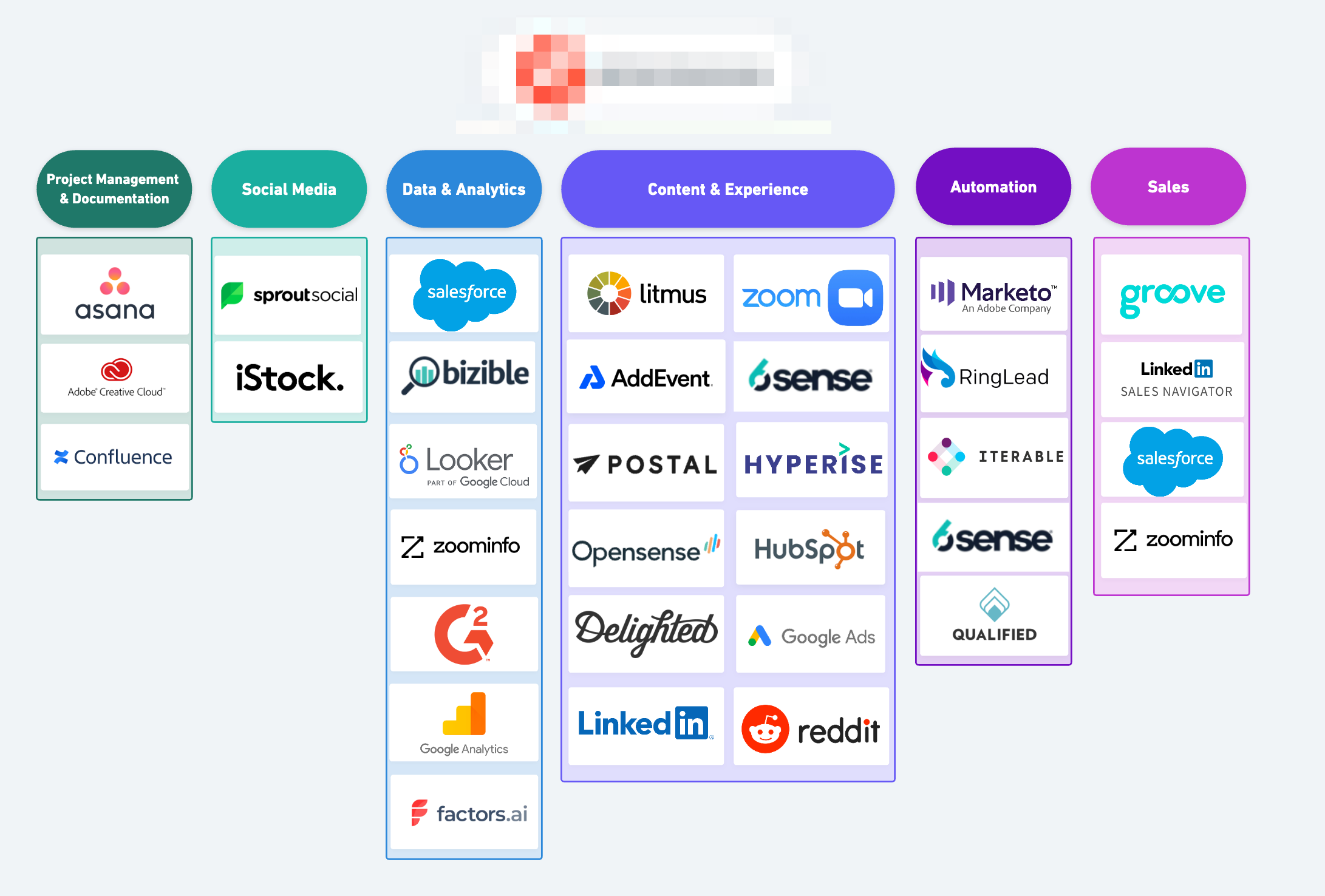
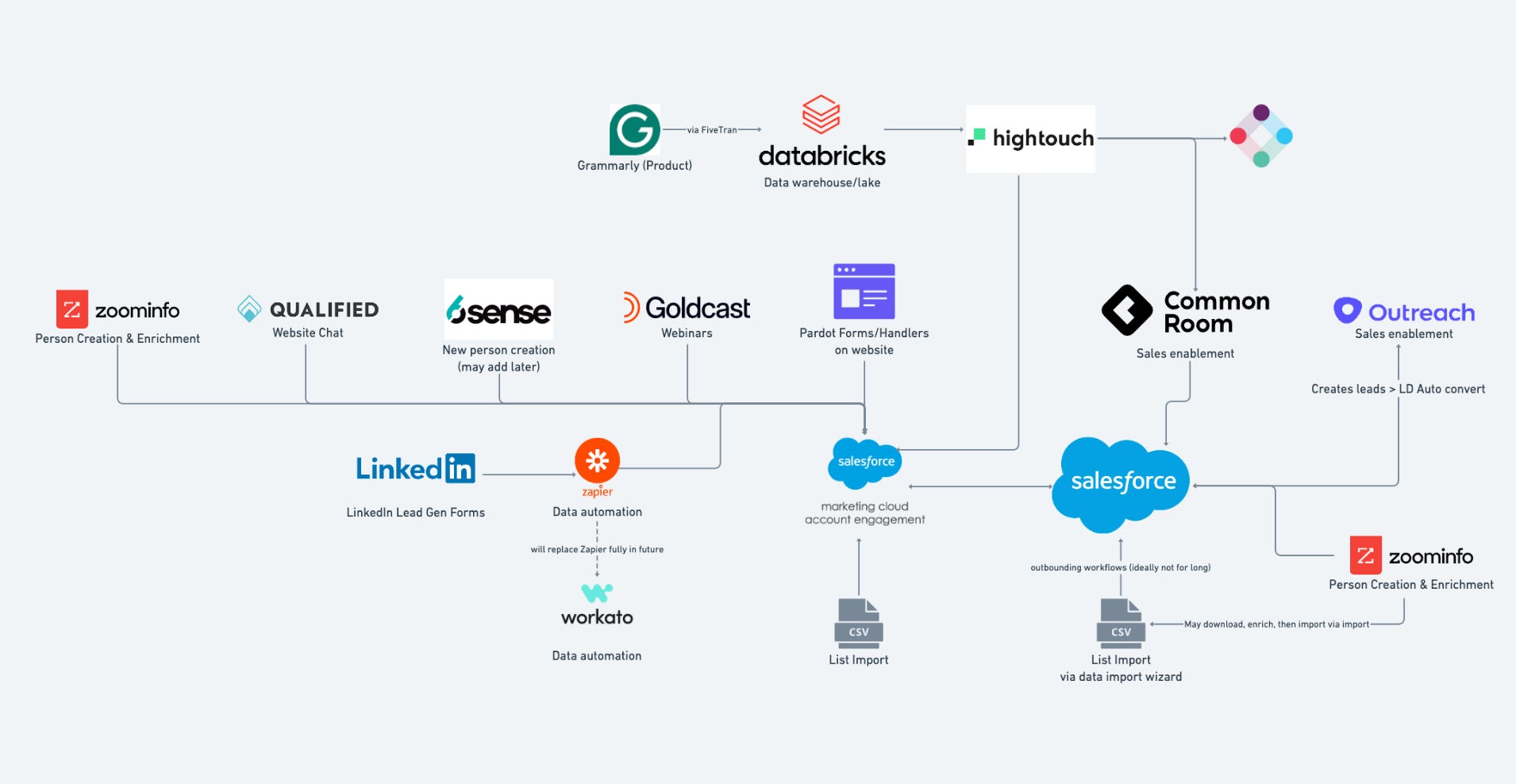
We suggest maintaining documentation, and potentially even a diagram, which also includes what integrates with what on it. It should be maintained and also available to the whole GTM team. Alongside the diagram or list of tools, I suggest having a document that also includes the owner of the tool, what teams it supports, the contract price, the contract terms, the renewal date, and a list of tools it integrates with.
Examples of a tech stack map/diagram:
2. Periodically audit your tech stack
This is where your documentation noted above should come in handy, or if you are doing this for the first time, it can be a forcing function for creating that documentation. If no one has audited your GTM team’s tech stack recently, it might be a great time. When we audit a tech stack, we create the documentation listed above if it’s not in place, and also do a deep dive into how the team is using the tools, how they are set up operationally, and even do a survey of the owners and end users. With all of this data, we can try to answer some very important questions:
1. Is there overlap between tools in functionality?
2. Is the overall implementation poor / does it lack a proper owner?
3. Is there no strategy behind how the tool is used or set up, and thus not getting value out of it?
4. Is the tool set up properly but just not providing any or enough value to the team who is using it?
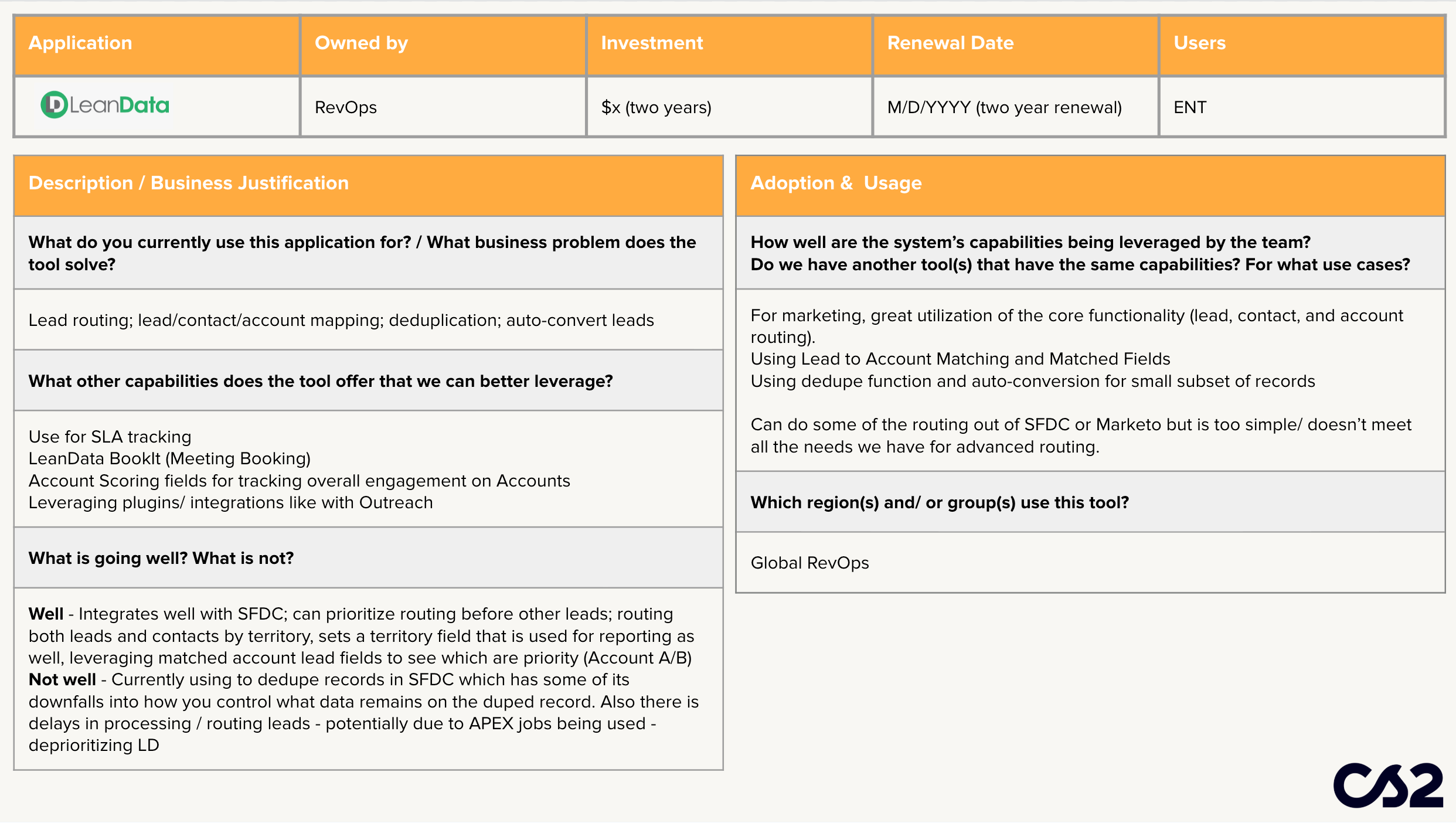
Documenting all of this analysis and then reviewing the results with the team can spark some important actions - including removing a tool or putting in process to improve the implementation/usage. If you want a little template for your findings here is a template slide. (pictured below)
3. Put in a purchasing decision process that the whole team uses
One thing that really hurts a GTM team is when a tool is purchased without involving everyone who can be impacted - but especially the ops teams who are likely going to have to implement and/or manage it. Alternatively, what also can hurt teams is when operators just make all the tech decisions without making the case to the team and getting consensus.
One way to get around this is to put in guardrails and procedures. This should include documenting the case (including a strategy) for why a tool should be purchased, involving key stakeholders and ops in the demo/evaluation process, and ensuring that all teams agree on the decision.
For example, for an ABM platform, a demand gen marketer might have specific needs, but an ops person will know the right questions to ask about features/functionality or can realistically gauge how easily/quickly it can be implemented. Side note - I also suggest getting some back-channel references on the tool to help support the decision.
4. Do not get caught up in the “cost-savings” rationale
Yes, one tool might be slightly cheaper or offer you a hot deal, but is it worth replacing a tool that is already properly implemented, managed, and working effectively for the team?
That $5k in savings might quickly be nullified when you realize you need to spend more time on consulting costs or even lose time on implementing campaigns etc, because of the interruption. Also, sales teams are not dumb. They are more likely to give you a cheaper price for one year, but that is not always guaranteed on your next renewal.
On the flip side, if you are buying a tool, do not make the cheaper option the top option if it doesn’t meet the full needs of the business. A piece of tech that requires crazy workarounds or sacrifices on functionality is not worth the discount. You will just be wishing you got rid of it. Just tell procurement this one phrase: “Buy once. Cry once.”
5. Be open-minded, but not gullible
If you are coming into an org and have your “preferred” tools, I would caution you from forcing the company into getting that tool just because you know it and you are comfortable with it. If something is providing value to the team, it might be an opportunity to learn it. If it’s truly not, then you can make the case for replacing, but do your due diligence. Other tools out there might be better for the use cases you have. On the flip side, do not be so gullible and fall for the hype of AI or get “shiny object” syndrome when you see a cool piece of tech being marketed. Do your research, size up the impact, and go follow again the tech purchasing processes I talked about in point #3.
6. Evaluate whether to buy versus build
If you have a great operational team who are comfortable with building automation, (in your CRM, Zapier or n8n etc.) it might be worth evaluating whether you should build a solution versus buy one. The two pieces of advice I have if you do go down the “build” route are that you document the build very well and ensure it goes through rigorous testing. And not just testing with the success path, but rather with edge cases. Also, if you have a ton of tech debt, your systems may not be able to support a homegrown solution. Do the proper technical auditing to find out.
One final note.
It can be HARD to keep up with all the tools that are available for GTM Ops. It’s overwhelming! I do this for a living and spend a lot of time looking at new tools and talking to people about them and even I cannot keep up. However, you do have many resources at your disposal like G2.com, Slack communities, and even LinkedIn that can keep you informed. Buying tech shouldn’t really be a browsing activity anyway. You need the business case - then go find the right solution.
Watch on YouTube 🎥
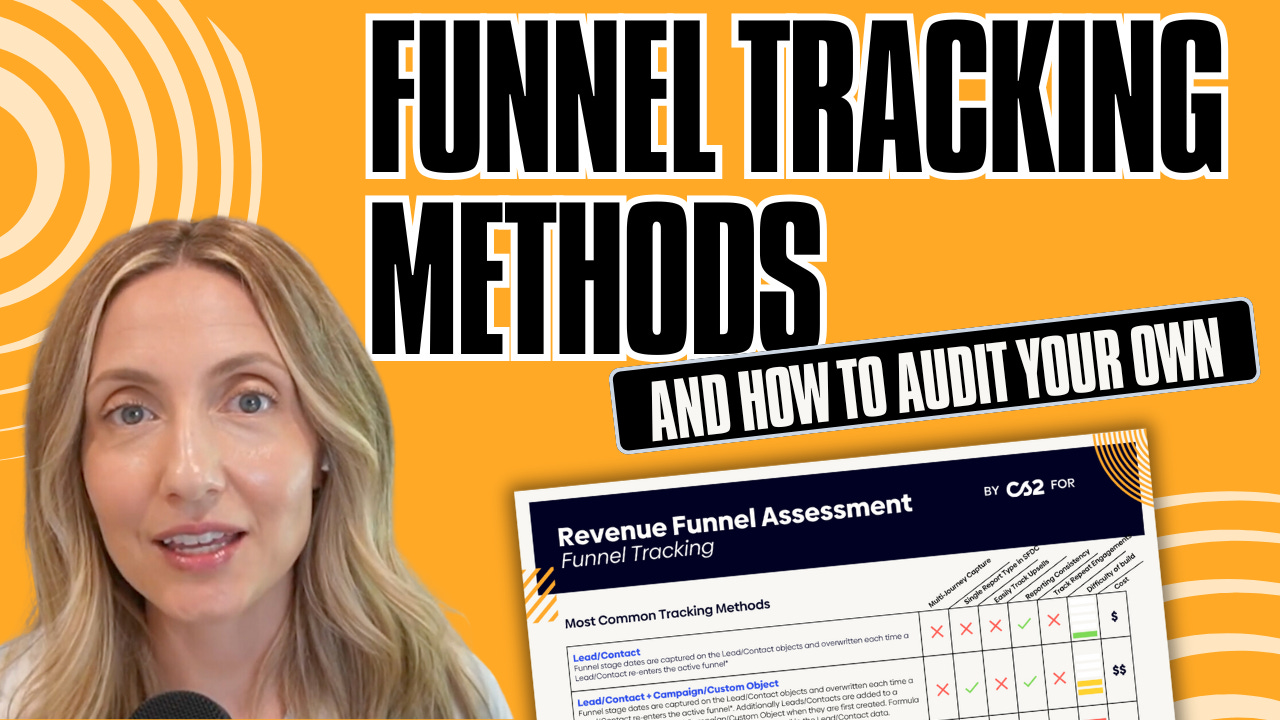
In this video, we break down the 4 funnel tracking methods we see and show you how to audit your own system to ensure you’re getting accurate, actionable insights:
1️⃣ Siloed Method– Basic and straightforward, but makes reporting a challenge.
2️⃣ CRM-Joined Method – Combining data in your CRM can help, but it can’t handle non-linear buying journeys.
3️⃣ BI-Joined Method – How Business Intelligence tools connect your funnel data. But it’s very convoluted.
4️⃣ Unified Method – The gold standard for a fully integrated, seamless funnel view.
Watch me break it down!
What We are Cookin' Up (for real)
This week I have a solid lunch “un-recipe.”
An un-recipe is more of a cooking style that allows for improvisation and creativity. And I will be sharing a lot of these as I find them more useful.
So many folks do not get nearly enough vegetables and fiber in their diet. I make it a priority, but the meal that I find it the easiest to incorporate is lunch and partially down to my weekly “fridge salads” I prep as a base for my lunch.
A fridge salad can sit for days in your fridge without going bad and you can make it a full meal by adding protein (like beans, chicken etc), but I actually prefer making it all vegetable-based and adding whatever protein sources I have on hand that day.
Here are some fridge salad components I like to use:
- Lettuce-y components that doesn’t go wilty (ie kale, radicchio, endive)
- Crunchy components (ie cucumbers, fennel, carrots, celery)
- Fruit components (ie tomatoes, grapes, apples, strawberries)
And for the dressing I always do something acidic, as I like the mixture to almost “pickle” itself.
- A drizzle of balsamic reduction
- A lemon-olive oil dressing
- A red-wine vinegar and mustard dressing
- Or even just straight up pickle juice!
You can add hard cheeses or even herbs to the mix too!
The last few weeks, my mixture has been radicchio, fennel, cucumbers, and tomatoes with a red wine vinegar, mustard, tiny bit of maple syrup, and olive oil dressing. I literally just mix the dressing up in the same bowl and then add the chopped stuff over it! (ps. The radicchio and fennel are great for digestion.)
And here is an example of how I use the fridge salad to make a lunch.
I throw some greens into a bowl, I add scoops of the fridge salad over it, then I add a protein (this case lemon tuna from Fishwife) and then add anything else I fancy like some extra “pickle de gallo” and some roasted honeynut squash that I also prepped on the Sunday for some carbs.
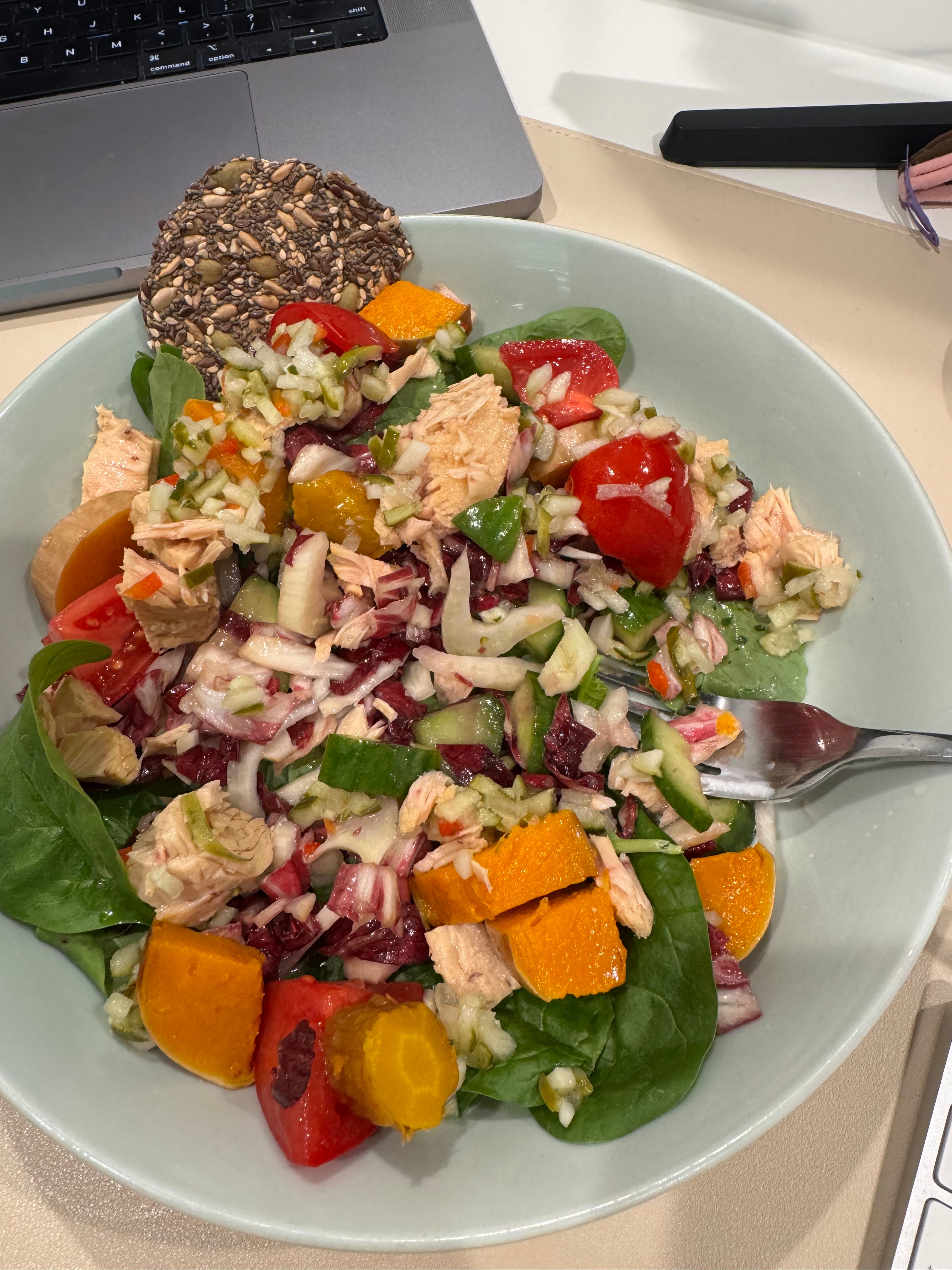
It might not be the prettiest lunch, but whether you work at home or go to the office, a fridge salad is clutch for making a quick healthy lunch all week long.
Links We’re Liking on LinkedIn
How to turn a company newsletter into a pipeline driver
Creating a “LinkedIn Flywheel” for your company by Emily Kramer
Can people “hear your face” too? Guilty 🙋♀️
More flexible advanced list logic in HubSpot is finally here.
This concept of the “System of Intelligence” for GTM is definitely something I want to explore.
Thanks for making it all the way through this week’s newsletter! Spreading the word helps it grow and continue - so share with a colleague or friend!